


Downloading Swaralaya for MacOS
Your download will begin automatically in
5
Seconds
Installation Guide
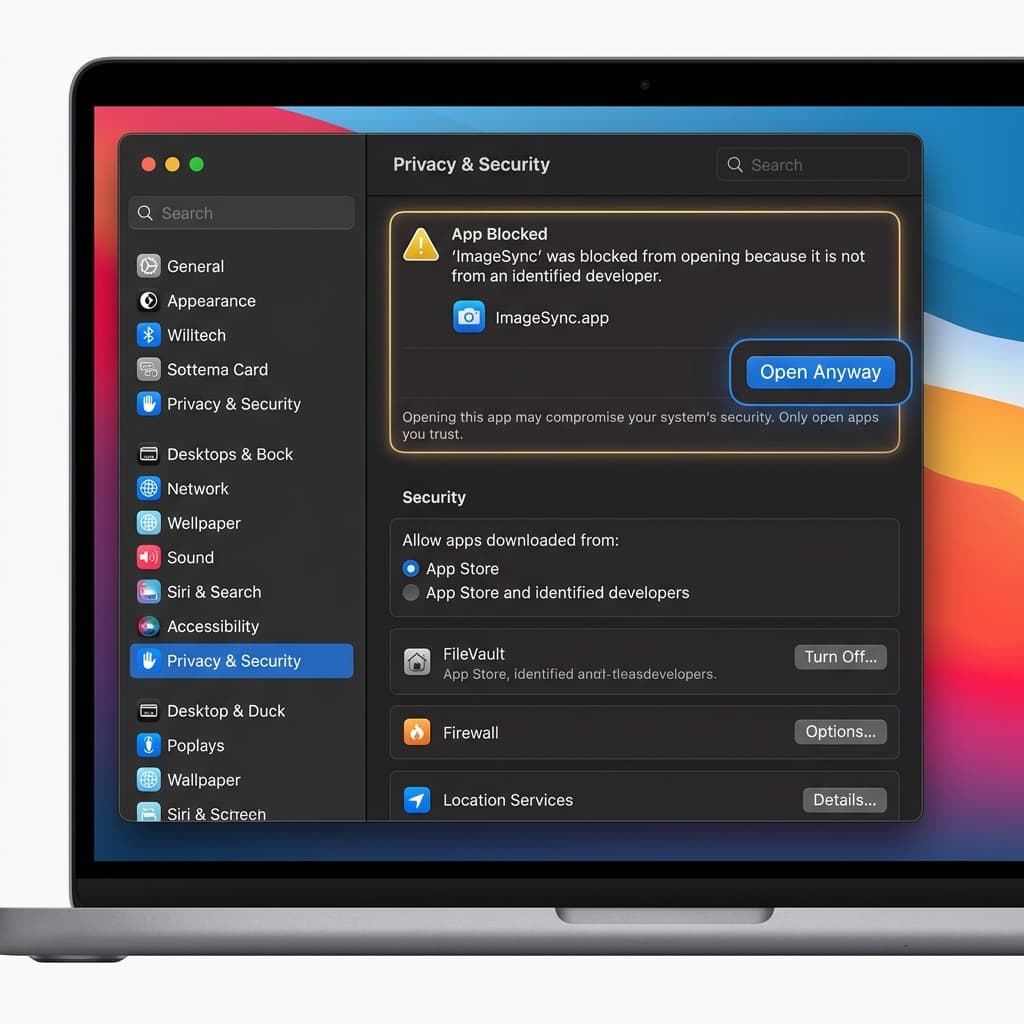
Since Swaralaya is not downloaded from the App Store, macOS may block the application the first time you try to open it. Follow these steps to allow it:
- Attempt to open the app (you will see a warning message).
- Open your Mac's System Settings.
- Navigate to Privacy & Security.
- Scroll to the bottom of the security page.
- Click the Open Anyway button.
How to Use
Watch this quick tutorial to learn how to sing, record, and share your first karaoke track using Swaralaya.